The passport photo,
done right at home.
Snap a photo with your phone, against any background. Get a passport, visa or ID photo that meets the official rules in seconds, and it never leaves your device.
- 43
- documents
- 24
- countries
- $4.99
- per photo


- U.S. Department of State
- GOV.UK
- IRCC Canada
- Australian Passport Office
- Ministry of External Affairs, India
- Chinese Visa Application Service Center
Choose your document, then add a photo.
Preview and check as many photos as you like. Pay only when you download.
- Digital file sized to the official pixel and KB limits
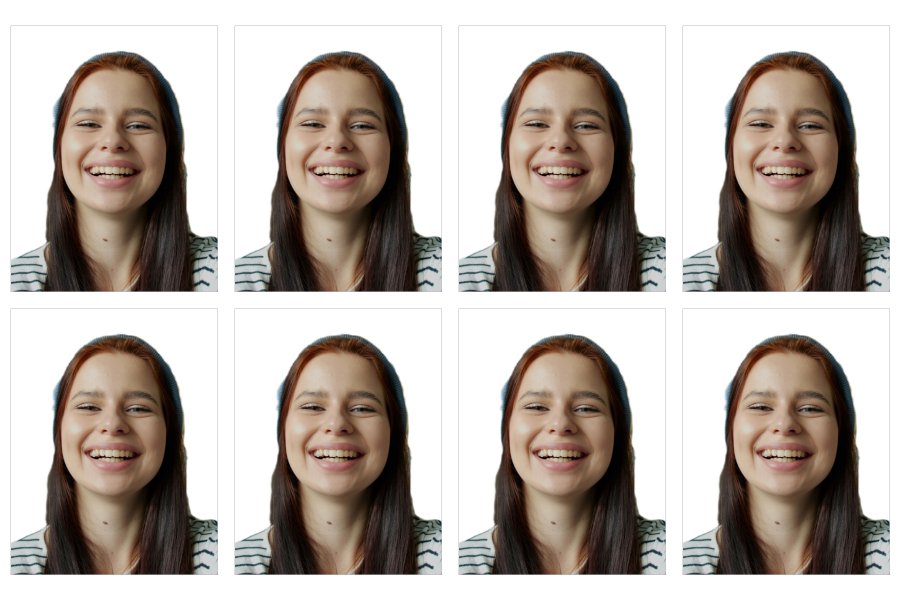
- Printable 4×6 sheet for paper applications
- No account needed
- 1Document
- 2Photo
- 3Check
- 4Download
Three steps, about two minutes.
-
1Snap a photo
Any phone, any room. Look straight at the camera with your shoulders in the shot.
-
2We size and check it
Cropped to your document’s rules, background made plain where allowed, with a clear list of anything to fix.
-
3Download and print
A digital file for online forms, and a 4×6 sheet you can print at any photo kiosk.

Your face stays yours.
Other photo tools upload your picture to their servers. PeppyPhoto does everything inside your browser — face detection, cropping, checks and export. Nothing is uploaded, nothing is stored.
Read our privacy policy- Head size 25–35 mm
- Facing the camera
- Eyes open, neutral expression
- Plain, light background
- Even lighting
- ×Retouched facenever
Checked, not retouched.
Beauty filters and AI edits are a common reason photos get rejected. We never change your face — we only crop, resize and swap in a plain background.
What we checkPopular photo sizes
- US US Passport Photo 2 × 2 in (51 × 51 mm)
- US US Visa Photo 2 × 2 in (51 × 51 mm)
- US DV Lottery Photo Digital upload
- GB UK Passport Photo 35 × 45 mm
- CA Canada Visa Photo 35 × 45 mm
- IN OCI Card Photo 2 × 2 in (51 × 51 mm)
- CN China Visa Photo 33 × 48 mm
- EU Schengen Visa Photo 35–40 × 45 mm
- MY Malaysian Passport Photo 35 × 50 mm
- SG Singapore Passport Photo Digital upload
- US Green Card Photo 2 × 2 in (51 × 51 mm)
- Any 2x2 Inch Photo 2 × 2 in (51 × 51 mm)
Good to know
All questionsWill my photo be accepted?
We size and frame every photo to the official rules for your document and check it for the most common reasons photos are rejected. The final decision is always made by the issuing office, so start with a sharp, evenly lit photo, facing the camera.
Do you upload or store my photo?
No. Your photo is processed entirely in your browser and never sent to our servers.
Do you retouch my face or use AI to change it?
No. We only crop, resize and replace the background with a plain one. Many authorities, including the U.S. Department of State, reject retouched or AI-altered faces.
How do I print my photo?
Download the 4×6 inch sheet and order a standard 4×6 print at any pharmacy, supermarket or photo kiosk. Cut along the guides.
Can I try before paying?
Yes. Upload, preview and check as many photos as you like. You only pay when you download.